Frequently Asked Questions

Yes. Zaon is designed to install directly into your own virtual private cloud within your AWS, Azure, or Google Cloud account. You maintain full control over the network environment, including isolation, access controls, and outbound traffic restrictions. This ensures that all data and operations remain inside your infrastructure unless you explicitly choose otherwise.
By default, Zaon does not transmit data to any external LLM providers. You choose which models to use, and you can restrict traffic entirely to internal or self-hosted endpoints. The platform supports local inference engines and model access within your VPC. No external APIs are used unless you configure them.
Open-source models offer full transparency and can be hosted locally, which eliminates external data exposure. Closed-source models (e.g., OpenAI, Anthropic when not hosted in Azure AI or Amazon Bedrock) typically involve remote inference and may introduce compliance or confidentiality concerns depending on your risk profile. Zaon gives you the flexibility to choose, while keeping your inference pipeline locked inside your cloud account or on-prem environment.
Yes. While Zaon recommends cloud deployment for scalability and cost efficiency, it can be installed fully on-premise if needed. All components, including the inference engine and model plugins, are deployed within your local environment. Zaon also offers managed hosting if preferred.
When deployed in your VPC or on-premise environment, Zaon’s network configuration can be locked down to fully block outbound traffic. Firewall rules and security groups are set at the infrastructure level. This ensures no data or model requests can leave the trusted network without your explicit permission.
Costs vary based on how you deploy and which models you use. If you run open-source models like LLaMA on your own infrastructure, you avoid token-based fees but incur hardware and compute costs. If you use closed-source models via providers like OpenAI or Anthropic, token charges will apply. Zaon operates under a license-fee model [placeholder: flat, seat-based, usage-tiered], while compute and model costs remain under your control.
Yes. Hosting an open-source model like LLaMA locally means there are no token costs. You only pay for infrastructure—electricity, hardware, and any cloud compute resources if not on-prem. This can dramatically reduce operating costs for high-volume scenarios.
This feature is currently on the roadmap. Today, Zaon tracks token usage post-inference for billing and reporting. Future releases will include pre-inference token and cost estimation capabilities.
You do. Zaon installs into your own cloud environment, so any third-party LLM usage is billed directly to your cloud account. Zaon incurs no pass-through charges on model usage.
Large models require significant compute, especially for high concurrency. Internal use with low concurrency can often run on a small cluster. Public or enterprise-scale workloads may require Kubernetes or serverless clusters. Cloud deployment is recommended for scalability.
Zaon is model-agnostic and supports routing prompts to the most appropriate LLM for the task. Different models can be used in the same workflow, allowing the use of Claude for summarization, GPT for reasoning, or LLaMA for structured tasks.
Larger context windows increase token consumption and cost. Zaon's inference engine helps manage and structure context efficiently, but underlying model limitations and token pricing still apply.
Yes. Zaon can route different steps of a workflow to different models. This enables cross-model orchestration and allows for model-specific strengths to be leveraged per task.
Zaon's deterministic inference engine runs locally and manages context, prompt formatting, and access to tools and data. It can be configured or extended to meet domain-specific requirements.
Larger models are more capable but increase latency and infrastructure cost. Smaller models are faster and cheaper but may be less precise. Zaon gives teams full control over these trade-offs per use case.
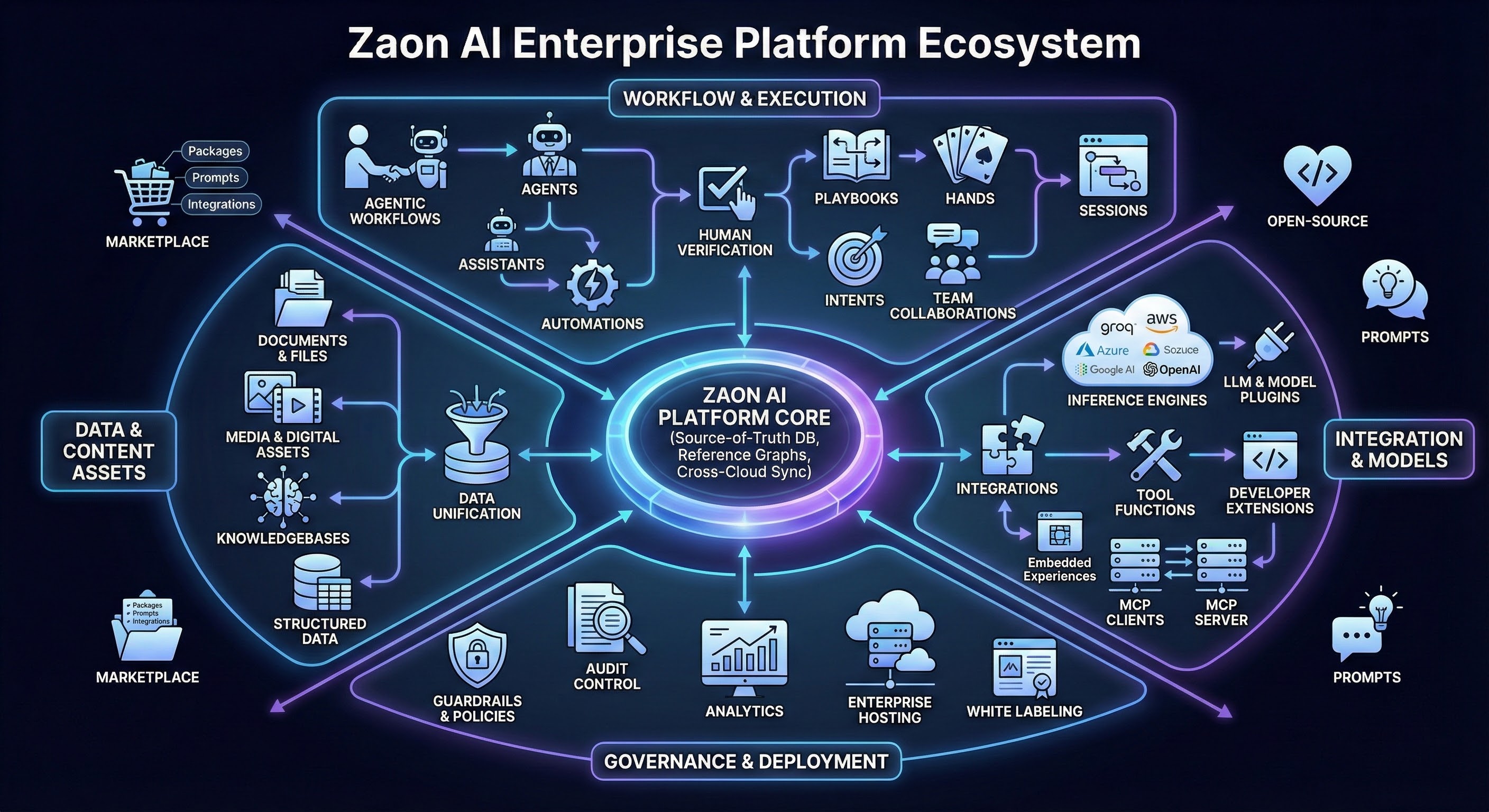
Yes. Zaon’s agentic workflows allow for branching, looping, and conditional logic. Users can insert verification steps, call external tools, or repeat prompts based on output. These can be created through both API and visual interface.
Yes. Workflows can invoke different models in sequence or parallel, compare results, and trigger next steps based on consensus or structured evaluation.
Yes. Zaon supports structured output formats like JSON, as well as broader structured data models. Assistants and agents can be instructed to format outputs consistently for downstream automation.
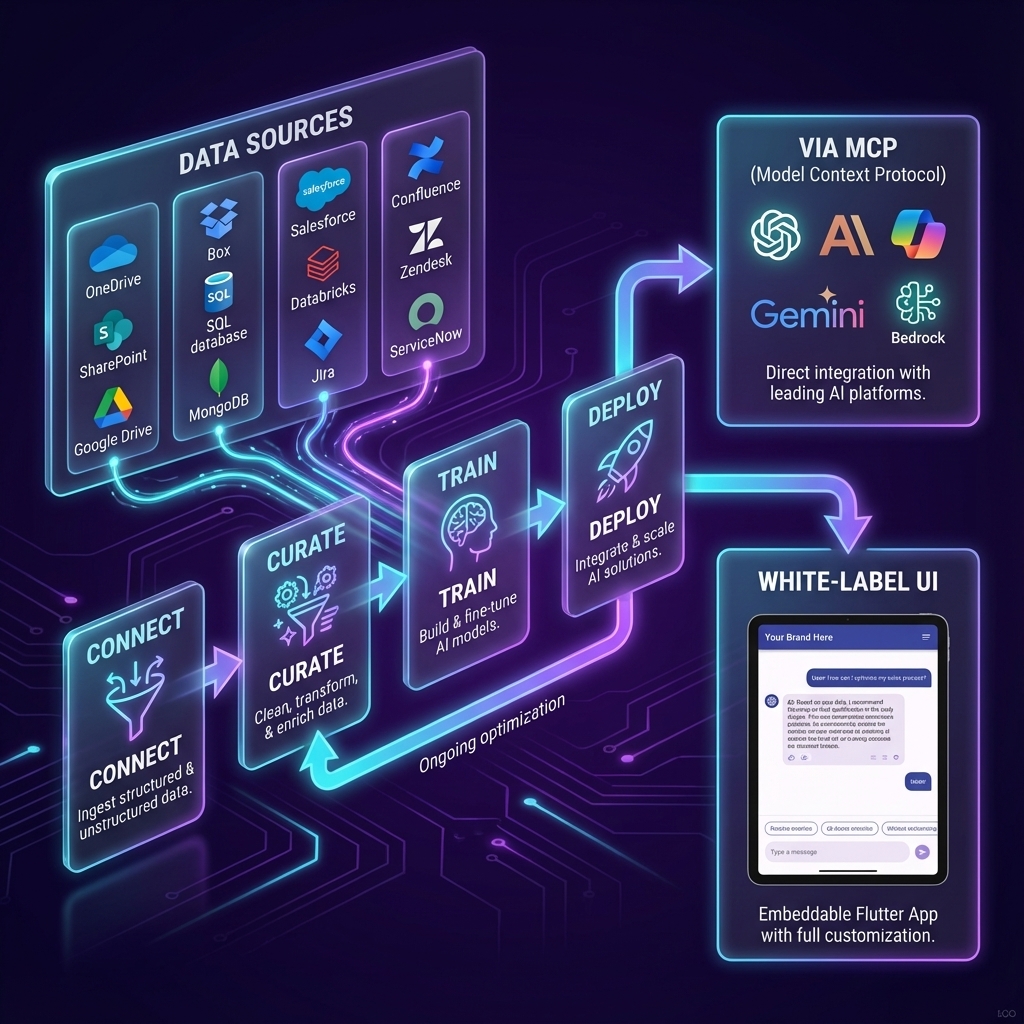
An agentic workflow involves assistants, agents, and automations working in sequence. Agents oversee task execution, assistants perform model calls, and all steps can include human verification or automated triggers. These workflows can be saved as reusable workflows and included in playbooks.
Yes. Every feature in Zaon is API-driven. All functions available in the UI are backed by APIs, which are documented and accessible to developers for custom use.
Yes. Developers can create custom plugins and integrations in any language. These can be deployed serverless or within Kubernetes, and are installable from the Zaon Marketplace.
Yes. Zaon provides full Swagger/OpenAPI documentation and a developer portal. SDKs are available to simplify integration with internal systems.
Yes. The platform is fully white-label capable. Enterprises can rebrand the UI or modify it using provided source code to integrate directly with internal applications.